Sign in and build · Free to start, no card needed · add a card when you want more credit · see pricing →

Custom domains

Point a name you already own.

Two records and the build answers on your own domain, with a certificate. If the domain is on Cloudflare we add them for you. No transfer, no nameserver change, and your email is not touched.

Your domain stays in your registrar account. On Cloudflare it is one paste and we write the records. Anywhere else we hand you the two records, watch DNS until they match, issue the certificate — and show you which stage it is at.

ameliasagent.com/app

Point mytreecare.com at this build.

CNAME + TXT written automaticallypointing → live · no domain markup

2DNS records to add
~1 minhow often the sweep checks
$0markup on a domain, ever

The short version

Three ways in, shortest first.

Your domain is on Cloudflare

Open the project, choose Connect a domain, type it in. We read who answers for the zone, recognise Cloudflare, and ask for a token scoped to that one domain — four clicks in their dashboard. Paste it and both records are written for you. Usually live inside a few minutes.
It is somewhere else

Same first step, and then we name the control panel that actually answers for your domain — which is often not the company you bought it from — and give you the two records with a copy button on each. Paste them there and leave it with us.

You do not have one yet

Register it at Cloudflare. They sell at cost with no renewal markup, and a domain bought there lands you in the one-paste case above. We do not sell domains — see below for why.

What gets added

Two records, and that is the whole job.

A CNAME, or ALIAS at the apex

Points the name at our edge. On a subdomain like www.yourbusiness.com that is an ordinary CNAME. On the bare name it has to be ALIAS or ANAME, because a CNAME at the apex is not legal DNS — most registrars offer one, and if yours does not, put the site on www and redirect the bare name to it.

A TXT record that proves it is yours

At _amelia.yourdomain.com, holding a value unique to your account. Nothing is served on your domain until that matches — which is what stops anybody else pointing your name at their site, or at ours.

Your MX, SPF and DKIM records are untouched. Connecting a domain adds two records; it does not move your email, your existing site, or the domain itself.

How it goes live

Five states, and you can see which one.

  1. ClaimedYou gave us the hostname. We hand back the exact records to add — or write them for you.
  2. VerifyingA sweep checks DNS about once a minute, looking for the TXT record.
  3. PointingOwnership is proven and the route exists. This stage is ours: the certificate is being issued.
  4. LiveIt answers on your domain, over HTTPS.
  5. FailedStill wrong after enough attempts — with the reason kept, not just a red mark.

Pointing is a state and not a formality: nothing can answer on a hostname, and no certificate can be issued for it, until the route exists — so the route is attached the moment ownership is proven, before the last check can possibly pass.

DNS is checked the way the public internet sees it, over a public resolver, rather than through our own — which can be caching something else entirely and telling us the change has not happened when it has. And if you put your own proxy in front, the DNS answer stops being ours and we ask the site itself instead, so turning the orange cloud on does not strand a domain that is already working.

If it does not go live

Three things it nearly always is.

The records went in the wrong panel

By far the commonest. You bought the name at one company and a different one answers for the zone — so the records are correct and sitting somewhere nothing reads. The sheet names the panel that actually answers; use that one.

The host name got doubled

Most panels append the domain to whatever you type, so entering www.yourbusiness.com can create a doubled host. Enter just www, and just _amelia.www for the TXT.

It simply has not propagated

Minutes usually, hours occasionally, and there is nothing to do but wait. The state will say Verifying the whole time and go live on its own — you do not need to press anything again.

A doubled host looks like this — one .yourbusiness.com too many:

www.yourbusiness.com.yourbusiness.com

Still stuck? Send us the domain and we will look at the actual DNS answer and tell you what is wrong with it — or add the records with you.

Why we do not sell them

Connect, rather than buy from us.

The markup would contradict the pitch

Cloudflare Registrar sells at cost and says so publicly. Reselling means charging more than the obvious alternative for an identical product, on a site whose whole argument is charging what a thing cost us.

Renewals are forever

Registering on your behalf makes us responsible for your renewal for as long as you own the name. Miss one and your site goes dark and the name is gone within minutes of dropping.

You keep the keys

The domain stays in your registrar account, under your control, whatever happens to us. That is the point.

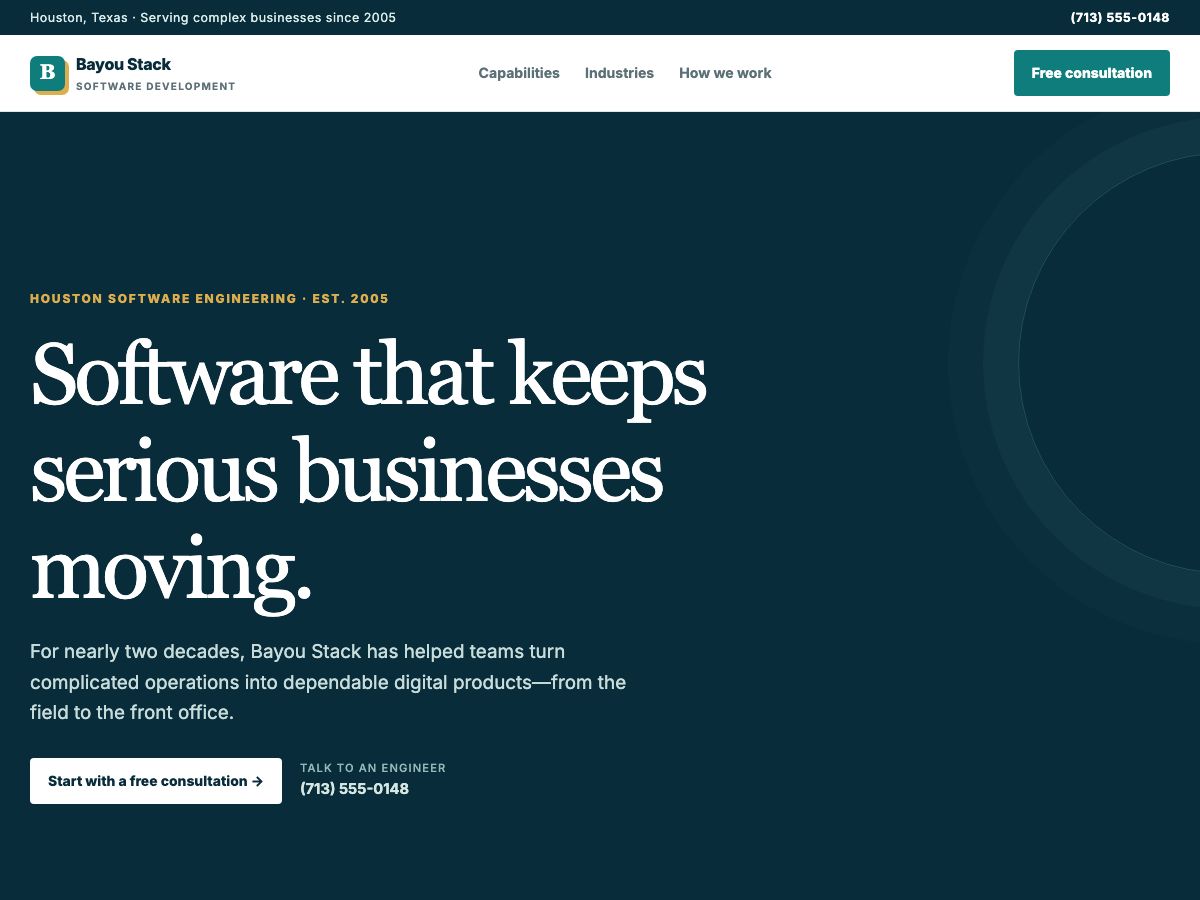
A software agency site, ready to answer on a domain you already own. A real one This one could answer on your own name. “Build a one-page site for a Houston software development company that has been going since 2005. They build mobile apps, web apps, custom software and AI agents, and they work with businesses in oil and gas, healthcare and logistics. It needs to look established and credible, not like a startup. Offer a free consultation.” GPT-5.6 Luna1 turn58s $0.0100 See all 53 builds →

Put a build on your own domain.

Two records, a minute of DNS, and a certificate you did not have to think about.

Questions

Asked, answered

Do you sell domains?

No. Cloudflare Registrar sells at cost; reselling at a markup would mean charging more than the obvious alternative for an identical product.

How long does it take?

As long as your DNS takes to propagate. A sweep checks about once a minute and the certificate issues once the records match.

Can you add the DNS records for me?

If the domain is on Cloudflare, yes — paste a token scoped to that one zone and we write both records. The token is used once and never stored. Anywhere else, we hand you the two records to paste in, and support will do it with you if you would rather.

Do I have to move my domain or my email?

No. Nothing about the domain changes hands and your MX records are not touched. Connecting adds two records and takes nothing away.

What if I do not have a domain yet?

Register one at Cloudflare — they sell at cost with no renewal markup, and a domain there is the one-click case here.