How it works
One turn, start to finish.
A turn is the unit of everything here — it is what gets built, what gets saved, and what gets billed. Here is exactly what happens inside one.
You type a sentence. A machine that already exists writes real files, commits them to a repository that is yours, and tells you what the turn cost. Then you say what to change.
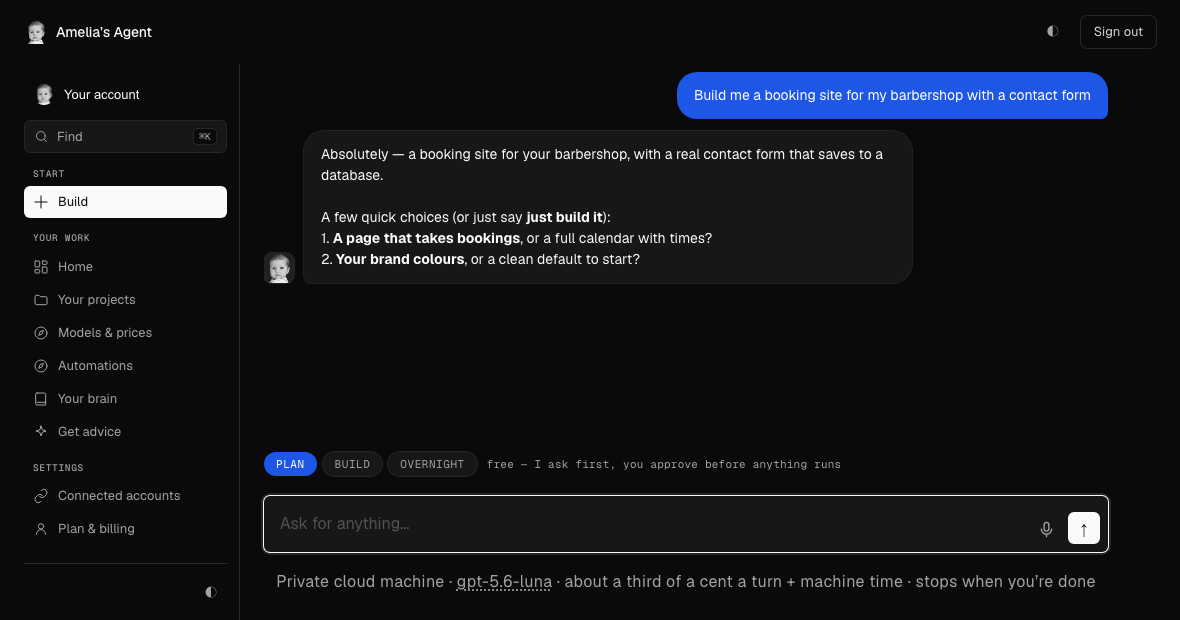
The sequence
Five things happen, in this order.
- It reads what you asked forYour sentence is matched against the job types it knows — a website, a tool, a fix, a scrape, a spreadsheet, a review. The match decides which playbook is loaded, and only that one is sent.
- A machine is waitingA private virtual machine, yours for the session, booted in about ten seconds. Not a preview pane and not a simulation — a real filesystem with a real shell. See machines.
- It writes actual filesSix tools: write a file, read one, list a directory, run a command, remember something, recall something. Every one of those shows on screen as it happens, named, with the seconds it took.
- Your repo gets the commitThe machine pushed to a git repo you own before it finished answering. The machine is destroyed on an hourly timer; the repo is not.
- You see what it costTokens and machine time, added up and shown against that turn. Not a credit balance that drains mysteriously — the actual figure, in dollars, on the answer.
- Then you say what to changeThe next turn starts with the project's memory, so you are not re-explaining the business, the colours, or the decision you made two turns ago.
While it runs
Nothing happens behind a spinner.
Most tools show a bar and a vague verb. This one names the file being written, the command being run, and what came back — with elapsed time on every step, because the honest answer to “is it stuck?” is a number.
If you have never done this
There is nothing to install and nothing to configure.
Sign in, type what you want in plain English, and watch. No terminal, no repository to create first, no deploy step to learn. The parts a developer would want — the shell, the repo, the model choice — are all there when you go looking, and invisible until you do.
The bill
Two things are metered. You see both.
A real twelve-turn build, taken to a finished site. Tokens are most of it and machine time is a rounding error, but both are measured and both are shown — a cost you cannot see is a cost you cannot trust.
Our markup is already in all three rows — nothing is added afterwards.
Try it on something real.
Describe the thing you actually need. The first build is on us.
Questions
Asked, answered
Do I need to install anything?
No. Sign in and type what you want. There is no terminal, no repository to create first and no deploy step to learn.
What is a turn?
One request and the work it produces. It is the unit that gets built, committed and billed, and its cost is shown on the answer.
Can I see what it is doing while it runs?
Yes. Every step names the file being written or the command being run, with elapsed time on it.