Explore the preview
The Amelia template collection
Start with a little
extraordinary.
For the business you’re building. The idea you keep coming back to. Find a design you love, explore every page, then make it yours with Amelia.
Choose your starting point
What will you make?
30 templates. Find one that feels like you.
Every preview opens in a new tab.
Explore the preview
Explore the preview
Explore the preview
Explore the preview
Explore the preview
Plume
Creative studio
Ideas with a little nerve.
Inside this template
Explore case studies → choose project needs → download a sample creative brief.
Explore the preview
Solace
Movement & wellbeing
A little space for yourself.
Inside this template
Compare classes → choose a session → save a local visit plan.
Explore the preview
Ember
Restaurant & hospitality
A table worth coming together for.
Inside this template
Explore the menu → plan party size and time → create a sample table request.
Explore the preview
Rally
Conferences & community
Good minds. Better conversations.
Inside this template
Explore the program → choose sessions → save a sample day plan.
Explore the preview
Verdant
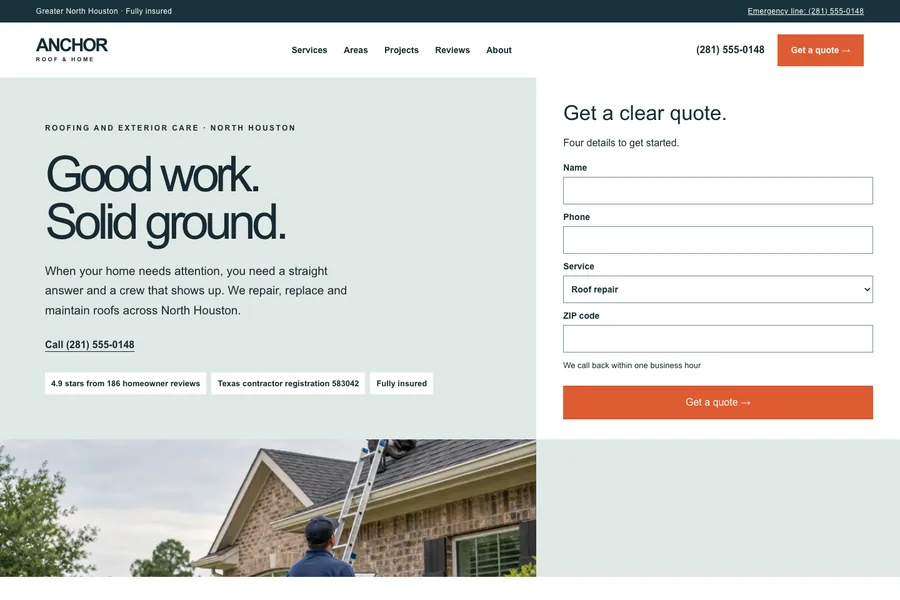
Garden & local services
Good things take root.
Inside this template
Explore services → describe a garden → download a sample project brief.
Explore the preview
Relay
CRM & relationships
A clear next step for every conversation.
Inside this template
Create an opportunity → move its stage → inspect its activity.
Explore the preview
Signal
Analytics & reporting
A clearer picture of what matters.
Inside this template
Choose a time window → inspect the channel breakdown → save and export a report.
Explore the preview
Ledger
Inventory & operations
The right things, in the right place.
Inside this template
Find a low-stock item → receive a bounded quantity → inspect the recorded movement.
Explore the preview
Atlas
Directories & local discovery
Good places. Useful connections.
Inside this template
Filter spaces → inspect a profile → save it to a personal collection.
Explore the preview
Academy
Courses & learning
Small lessons. Lasting progress.
Inside this template
Open a course → finish the lesson → answer a knowledge check → update progress.
Explore the preview
Tempo
Habits & routines
Find a rhythm that feels like you.
Inside this template
Create a routine → run or pause a focus session → mark today complete.
Explore the preview
Fieldwork
Field inspection
A clear record of a job well done.
Inside this template
Open a job → complete required checks → record an observation → download a sample report.
Explore the preview
Gather
Events & community
Your people. Your kind of day.
Inside this template
Save sessions → review time overlaps → export a sample agenda.
Explore the preview
Savor
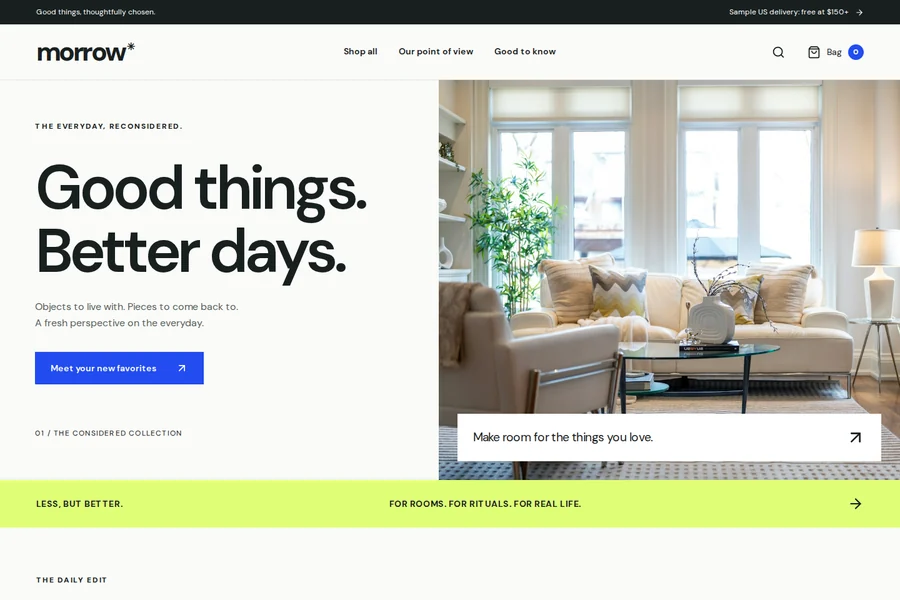
Food & pickup
Something good is just around the corner.
Inside this template
Choose a dish and size → build your bag → review a sample pickup order.
Explore the preview
Personal expenses
A little clarity for everyday spending.
Inside this template
Add an expense → inspect your overall budget → filter and export the local record.
Explore the preview
Atelier
Independent apparel
The pieces you come back to.
Inside this template
Find a product → choose an option → review the bag → create a sample order.
Explore the preview
Dew
Personal care
A simpler everyday ritual.
Inside this template
Find a product → choose an option → review the bag → create a sample order.
Explore the preview
Ritual
Coffee & pantry
Good mornings begin here.
Inside this template
Find a product → choose an option → review the bag → create a sample order.
Explore the preview
Roam
Outdoors & adventure
Pack well. Go a little further.
Inside this template
Find a product → choose an option → review the bag → create a sample order.
Explore the preview
Edition
Digital & creative goods
Useful tools for your next good idea.
Inside this template
Find a product → choose an option → review the bag → create a sample order.
Explore the preview
Scope
Quotes & proposals
Turn a conversation into a clear next step.
Inside this template
Add scope items → inspect exact arithmetic → download a draft proposal.
Explore the preview
Briefly
Intake & briefs
Better beginnings start with better questions.
Inside this template
Answer the brief → revise earlier answers → download a structured project brief.
Explore the preview
Tally
Time & cost calculator
Put a useful number on a what-if.
Inside this template
Change inputs → compare a scenario → export the arithmetic and assumptions.
Explore the preview
Dispatch
Content planning
A clear home for your next good story.
Inside this template
Write a draft → choose a date and channel → inspect the calendar → export the plan.
Explore the preview
Cleanroom
CSV & data cleanup
A cleaner start for your next import.
Inside this template
Load sample or local CSV → choose cleanup rules → inspect changes → download cleaned CSV.
Explore the preview
Flowline
Automation simulation
See how the next step happens.
Inside this template
Configure a condition → run a sample event → inspect the steps → export the recipe.
No templates found.
Try a broader word or explore all five categories.
From inspiration to your own thing
The design is the beginning.
You make it matter.
- 01
Explore it properly
Open the preview, follow the navigation, and try the sample journey. There is more here than a homepage.
- 02
Tell Amelia about you
Choose Use template, sign in, and bring your own name, content, colors and ideas. Review your plan before the build begins.
- 03
Make it ready for your customers
Replace sample content and connect the services your project needs, then check and publish your own version.
A clear starting point
What is included?
Responsive pages and interactive sample workflows. These are fictional brands you can explore and adapt — build from one and its code arrives as a git repo you can clone, not a zip.
Previews use sample data. Changes stay in your browser. Enquiries, bookings, payments and automations demonstrate the journey; connect real services for a live business.
Mobile experiences run on the web. They are designed for smaller screens. Native iOS or Android apps need a separate implementation, build and store submission.
Editing starts with Amelia. Tell her what you want to change. Use the page studio for direct landing-page edits, then Continue in Amelia to bring its HTML and editable draft into a new AI build. Other app screens are customized during your build.